Saving Your Work and Exiting
You have now completed work on the form.
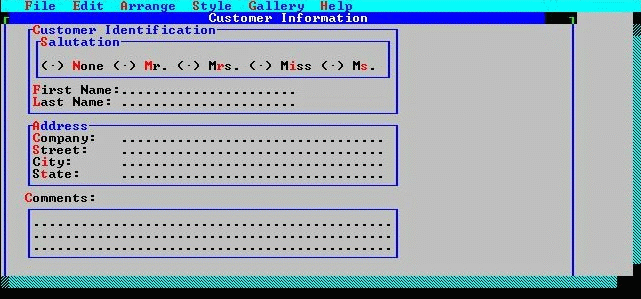
The completed form fcustomer.
You decide that is enough for the time being. You want to exit the Painter and save your work at this point.
- Select FILE from the menu bar, then select EXIT from the drop-down menu.
The Screen Painter knows that you have changed objects since your last save and therefore asks you whether you want to save or discard those changes.
- Select the OK button or press Enter to save. A Save dialog box pops up, showing the objects that have changed since the last save (or the start of the session). In this case, all objects have changed.
- Select the OK button, or press Enter to save all changes. The Painter exits, returning control to the Development Center, which creates the defined objects (form and window).